Lumen Dental & Family Clinic
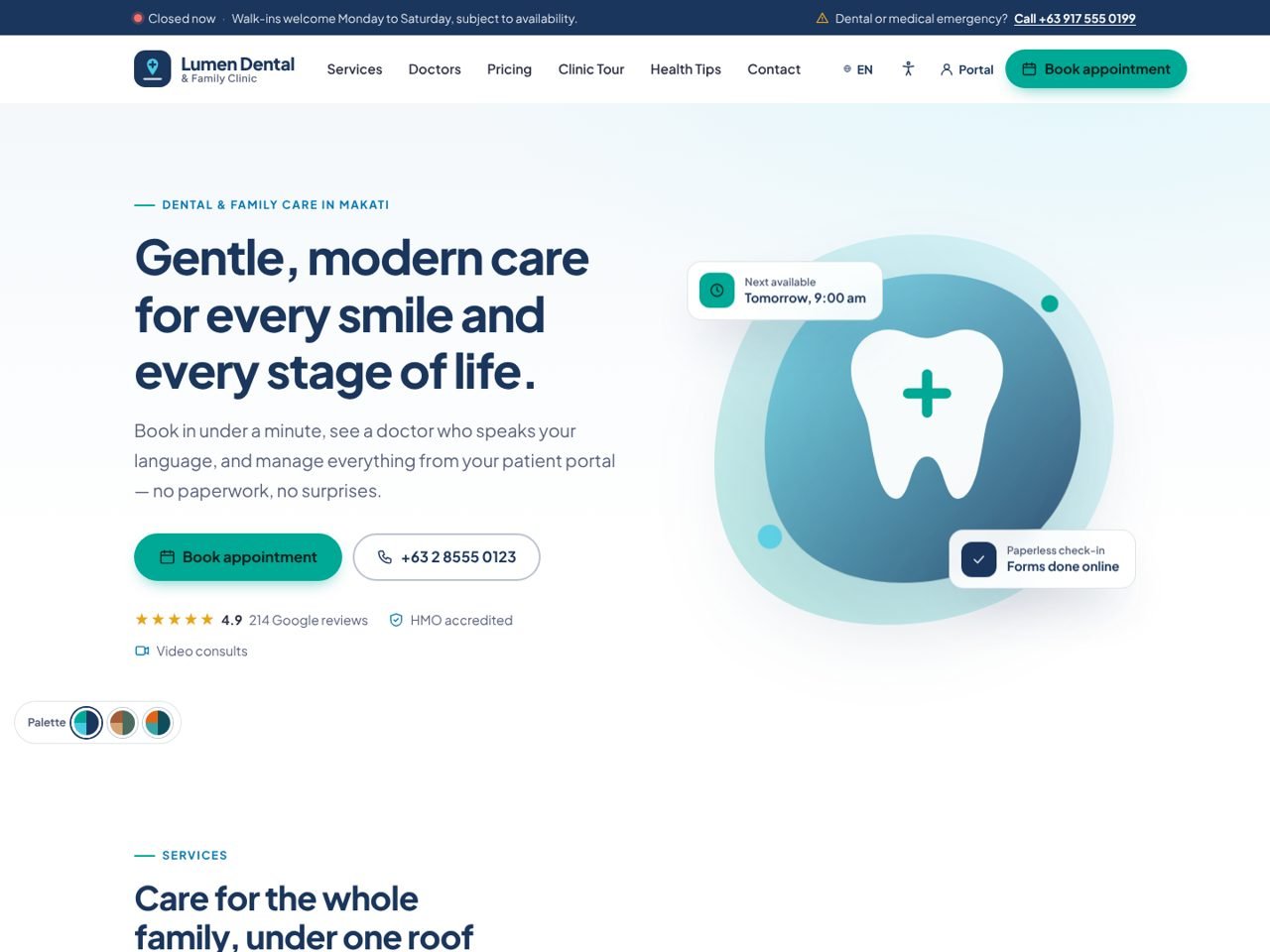
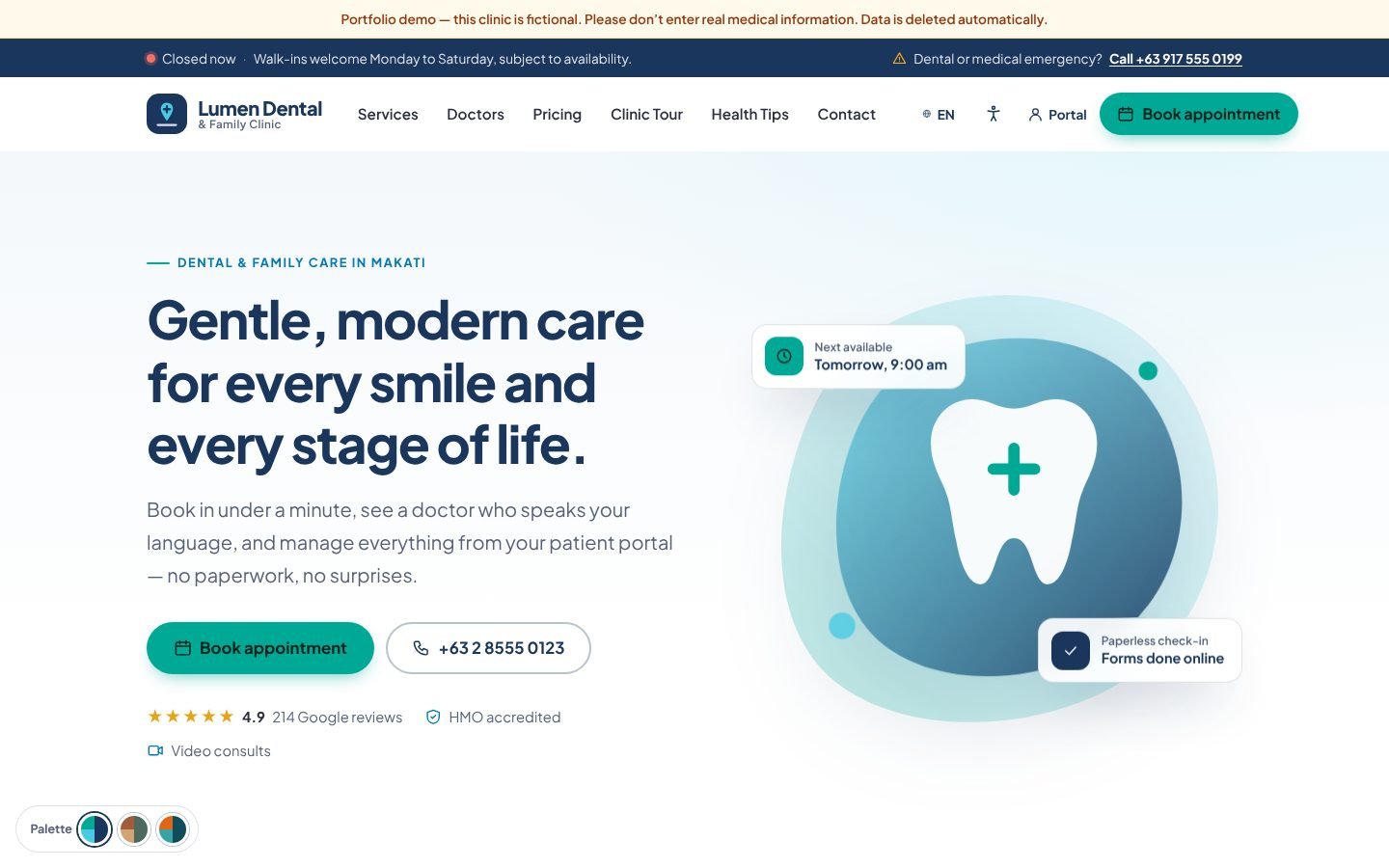
A multi-specialty clinic site with real-time booking, a secure patient portal, online payments and telehealth — built as a custom theme plus a purpose-built plugin.
At a glance
- Role: design, development, QA and deployment (solo)
- Built with: a custom WordPress theme plus a purpose-built clinic plugin, PHP 8, vanilla JavaScript and the WordPress REST API
- Third-party plugins: none
- Integrations: Stripe Checkout, Twilio SMS, Jitsi video and SMTP email, all through direct API calls with no SDKs
- Languages: English, Filipino and Spanish
- Live demo: chusiekokoro.com/clinic (patient login:
demo-patient/LumenDemo2026!)
The challenge
Most clinic websites are brochures: patients read a phone number, call during office hours, wait on hold, and then fill in the same paper forms at the front desk. The brief for Lumen Dental & Family Clinic (a fictional multi-specialty practice) was to replace that with a site patients can actually use. They should be able to book a real time slot in under a minute, complete their medical forms before arriving, pay bills, request prescription refills and join video consultations. Staff should manage all of it from one place.
There were two constraints. It had to run on ordinary shared WordPress hosting, and it could not depend on a stack of third-party booking, form or membership plugins, because those slow sites down, add licence costs and break on updates.
Real-time booking
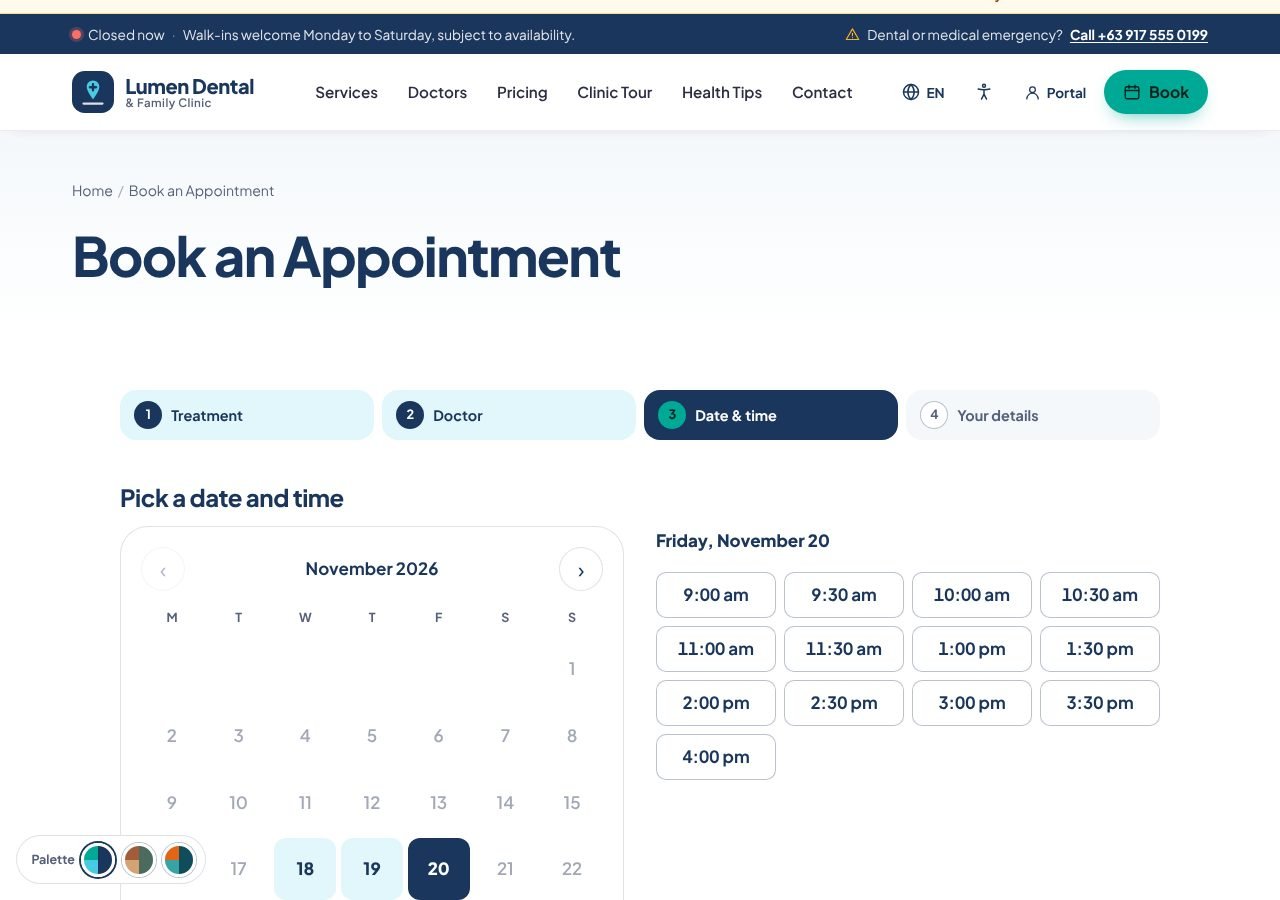
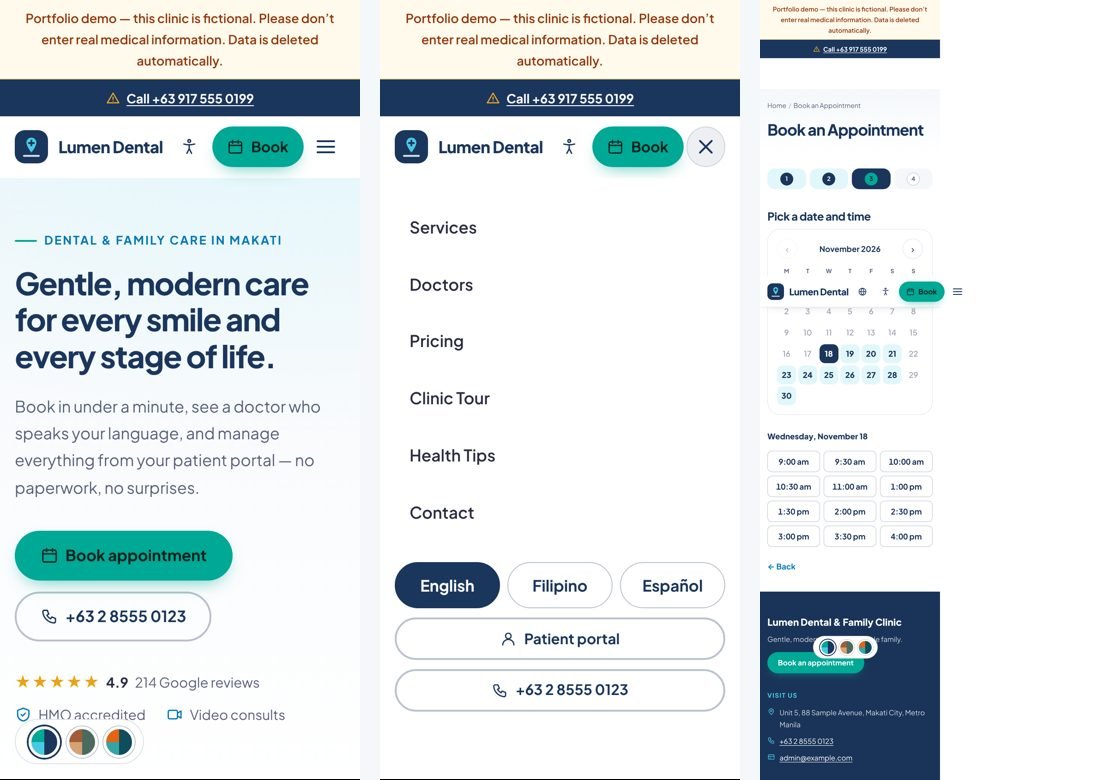
The booking wizard asks only what it needs, in four steps: treatment, doctor (or “first available”), date and time, then contact details. Available times come from each doctor’s weekly schedule and the length of the chosen service, minus existing bookings and lunch breaks. A short database lock prevents two patients from booking the same slot at the same moment. If that happens anyway, the second patient is sent back to pick another time rather than double-booked.
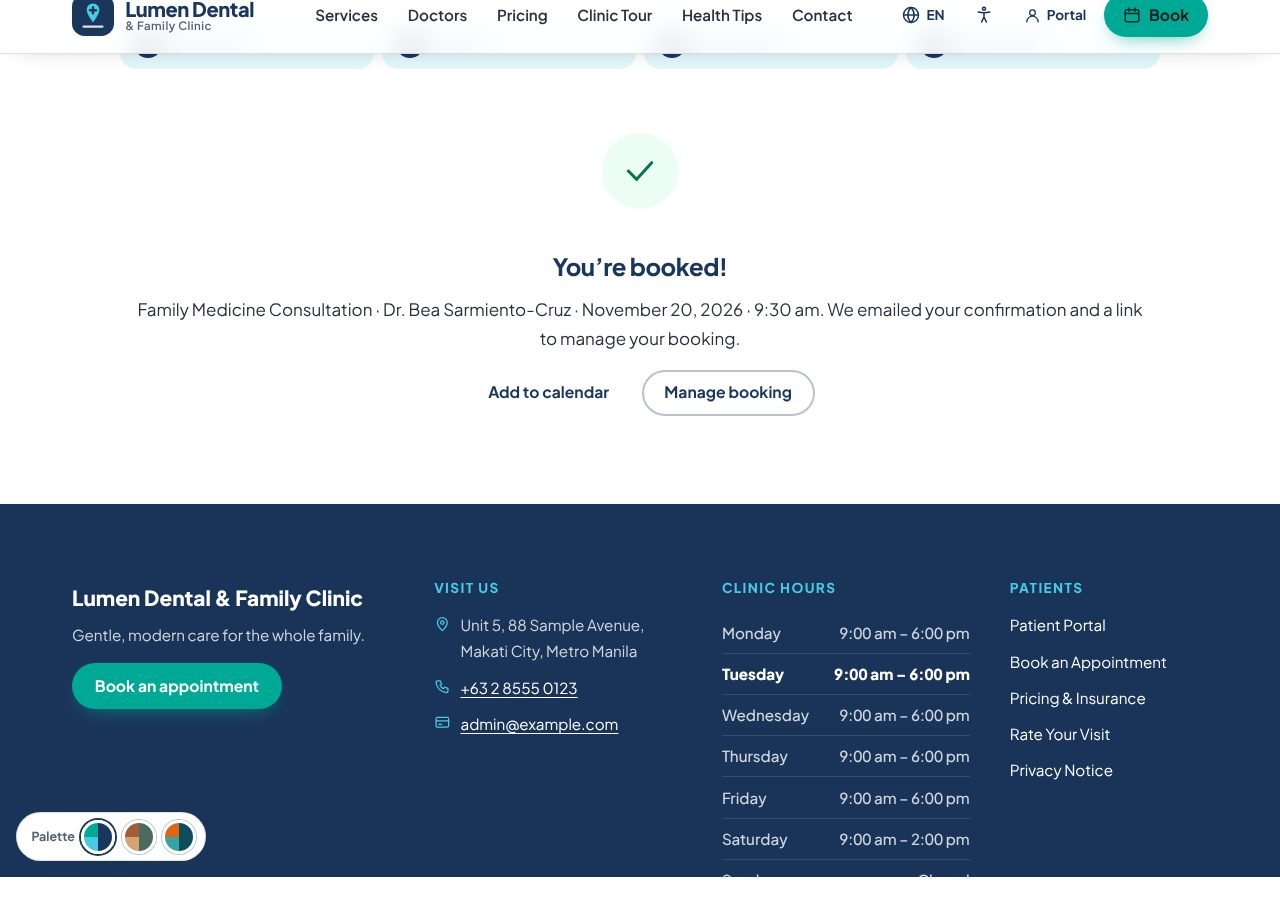
Each booking triggers a branded confirmation email, an optional SMS, a 24-hour reminder, and a follow-up survey after the visit. Four- and five-star reviews can become draft testimonials, with the patient’s permission, for staff to approve. Emails are sent after the visitor already has their confirmation. In live testing this cut the booking response from 4.9 seconds to about a third of a second.
A patient portal people would actually use
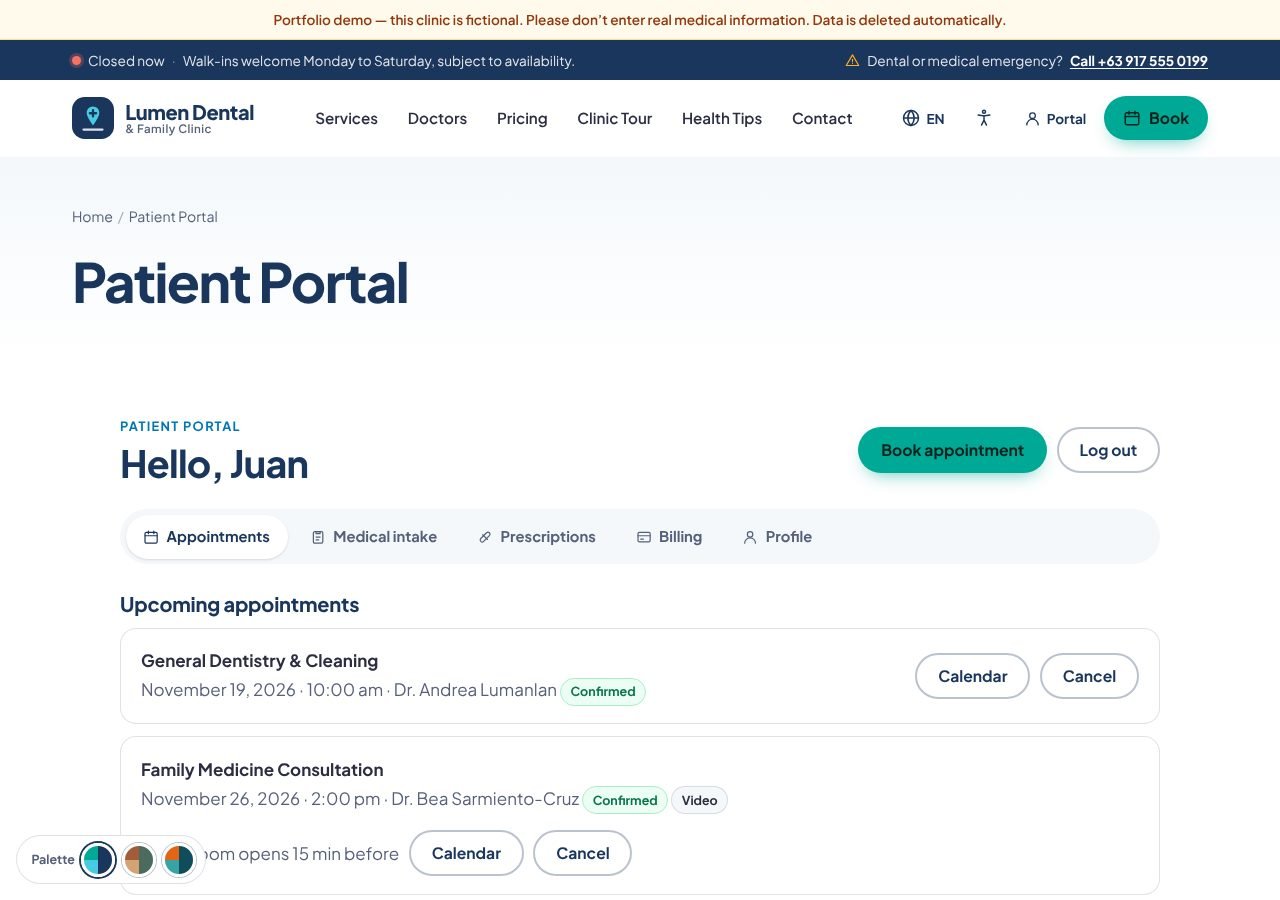
Patients get an account automatically when they book. The account is activated by a password-setup email, which also proves they own the address. Inside the portal they can see upcoming and past visits, cancel within the clinic’s policy, join a video consultation when the room opens, complete a medical intake form, request refills on active prescriptions and pay invoices through Stripe Checkout.

Transparent pricing
Price uncertainty is one of the biggest reasons patients put off treatment. The cost estimator lets them pick a treatment, add what applies to them (an X-ray, extra fillings, retainers) and see a typical price range, with a note on whether HMOs usually cover it. Every service page shows its price range, duration, what to expect and FAQs, marked up so Google can show them as rich results.

The staff side
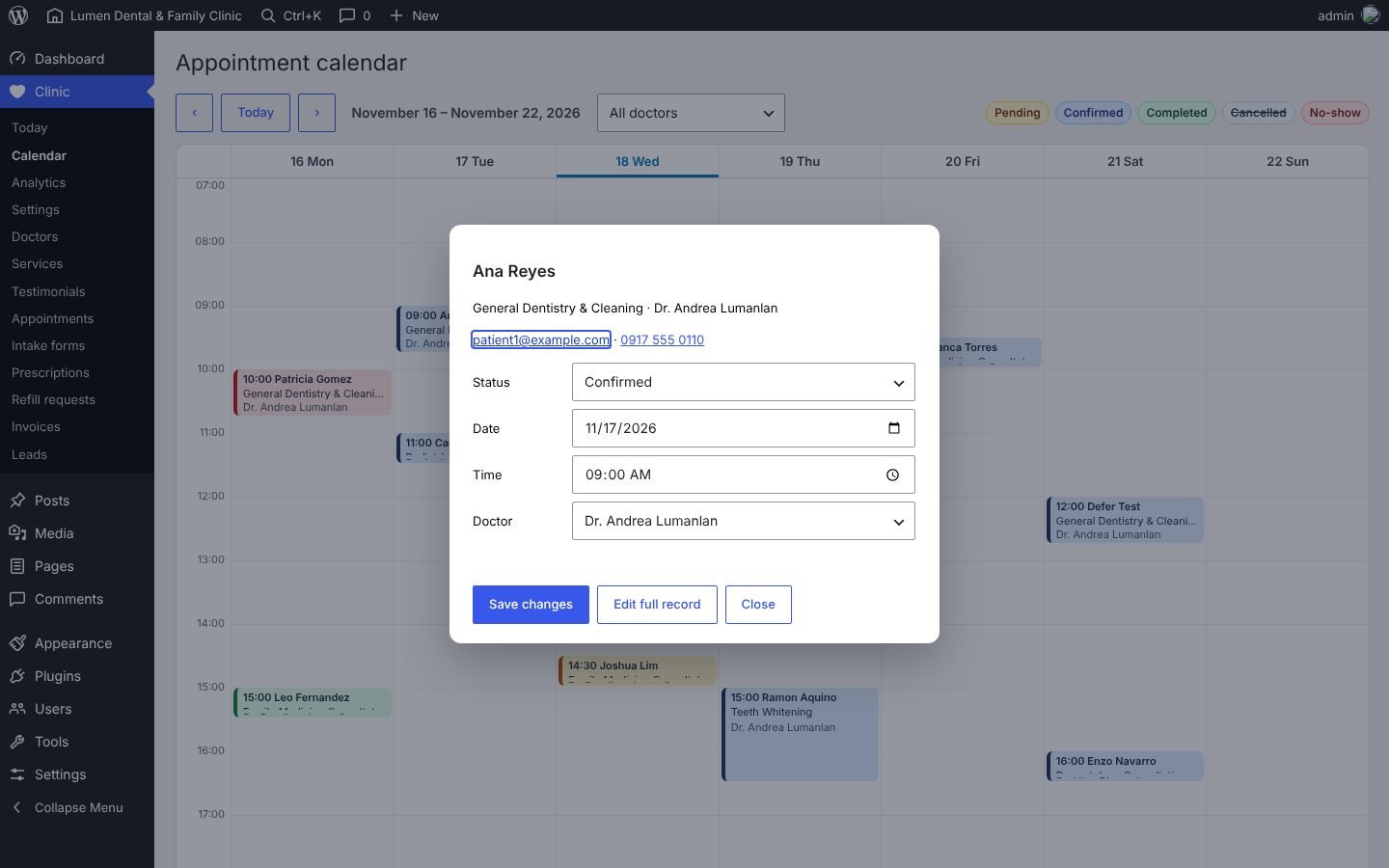
Receptionists work from a “Today” view and a week calendar where they can reschedule, confirm, or mark visits completed or no-show. Every change is checked against the doctor’s real availability, and the patient is emailed automatically. Access is split by role. Doctors see only their own patients and can read intake forms. Receptionists manage bookings and leads but cannot see medical information. Billing staff see only invoices.

Contact-form messages land in a small lead pipeline (new → contacted → booked → became patient) and can be pushed to any CRM by webhook.
Design: calm, accessible, multilingual
Healthcare visitors are often anxious, older or reading on a phone, so the design favours calm colour, generous spacing and large tap targets. The theme ships with three palettes built for clinics: Ocean Blue, Sage & Sand, and Teal & Slate. Every text and button colour pair was checked against WCAG AA contrast. An accessibility toolbar lets visitors enlarge text, switch to high contrast, underline links and reduce motion. A language switcher translates the interface, booking flow, portal and emails into Filipino and Spanish.

Engineering decisions
- Theme for looks, plugin for features. The clinic could switch to a completely different theme tomorrow without losing a single booking, patient record or integration.
- No SDKs or page builders. Stripe, Twilio and the CRM webhook are each a single well-documented HTTP call, so there is less code to update and less to break.
- Encrypted health data. Intake answers are encrypted at rest with libsodium and decrypted only for staff whose role allows it.
- Signed webhooks. Payment confirmations are verified with Stripe’s signature, and the return page double-checks the session with Stripe’s API, so an invoice can’t be marked paid by a forged request.
- Privacy by default. Every form records Data Privacy Act consent. The site plugs into WordPress’s own export and erase tools. Analytics store daily totals only, with no cookies and no IP addresses. Maps and 360° tours load only when the visitor asks for them.
- Fast on shared hosting. One stylesheet, deferred vanilla JavaScript, a self-hosted variable font and no jQuery on the front end. Availability lookups return in about 150 ms on the live server.
- Spam and abuse protection. Honeypot fields, per-network rate limits, nonces on every form and capability checks on every staff endpoint.
How it was tested
Before launch, the theme and plugin were installed on a clean WordPress site and run through every public page, every REST endpoint and every role. That included double-booking attempts, missing consent, forged payment webhooks, doctors trying to edit another doctor’s appointments, and patients trying to open WordPress admin. After deployment the same checks were repeated on the live server, along with real email delivery through SMTP with SPF, DKIM and DMARC configured.
What a real clinic would add
This is a portfolio demo with a fictional clinic, and patient data is deleted automatically. For a real practice I would add a data-processing agreement with the host, a dedicated video provider (Jitsi as a Service or a self-hosted server) instead of the public meet.jit.si, live Stripe and Twilio accounts, and an integration with the clinic’s existing practice-management system if it has one.
Want something like this for your clinic or business? Let’s talk, or try the live demo first.